
Free Publix Receipt Generator
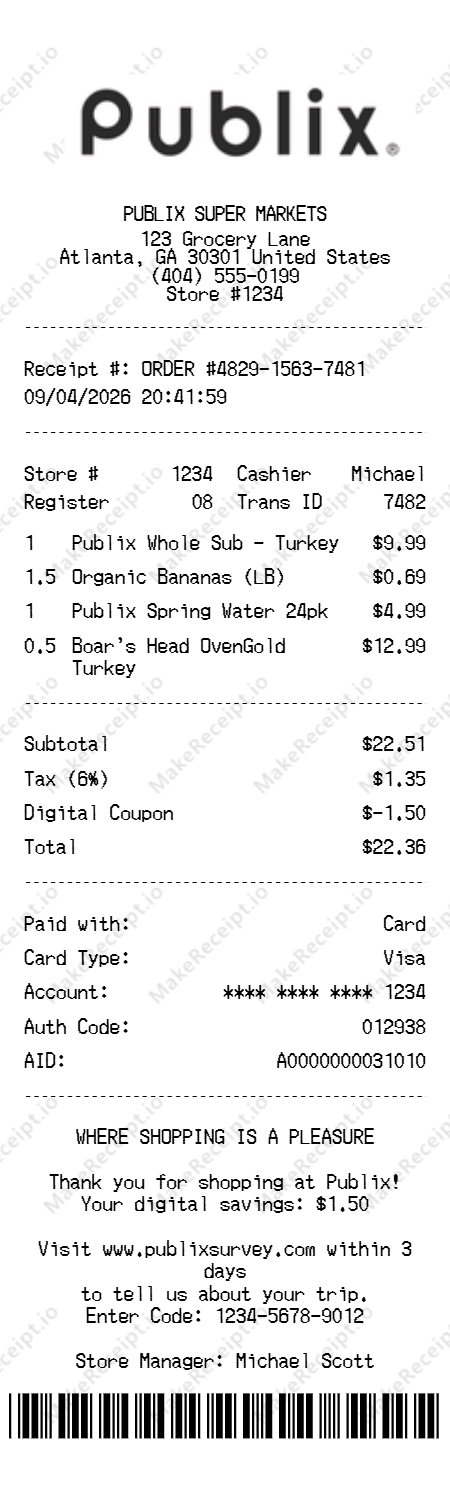
A standard Publix receipt contains all the essential details of your grocery transaction. This professionally designed template is fully customizable, allowing you to edit items, prices, and store details instantly.
How to Create a Publix Receipt in Seconds
A simple 3-step process to create your custom receipt in seconds.
Choose your template
Choose our specialized Publix template to start. The layout is pre-configured to match the professional aesthetics of Publix Super Markets receipts, including standard grocery categorization and spacing.
Customize every detail
Add your specific grocery items, from fresh organic produce to famous Publix subs. Adjust quantities, prices, and apply any digital coupons or discounts to reflect your actual shopping experience accurately.
Download instantly
Our system automatically calculates totals and taxes in real-time. Once satisfied, export your high-resolution Publix receipt for your financial records or expense reports instantly.
Sample Publix Receipt Items
Here are typical line items you would find on a Publix receipt, along with realistic price ranges and quantities.
| Item Description | Quantity | Realistic Price |
|---|---|---|
Publix Deli Whole Sub (Signature) | 1 | $9.99 |
Publix Sweet Tea (1 Gallon) | 1 | $4.19 |
Boar's Head OvenGold Turkey (Premium) | 0.5lb | $6.50 |
Fresh Atlantic Salmon Fillet | 1.2lb | $17.99 |
Publix Bakery Chocolate Chip Cookies | 13ct | $5.49 |
Note: Items and prices may vary by location and season. All samples are for reference and design purposes only.
Publix Receipt Fields: What Each One Means
Understanding each field on a Publix receipt helps you create accurate, realistic mockups. Here's what every field represents and where it appears on the receipt.
Super Market Retail Identity
The official brand identity of PUBLIX SUPER MARKETS, representing a premier destination where "Shopping is a Pleasure."
Store Location & Store #
The physical coordinates of the specific Publix branch and its unique localized store number (e.g., Store #1234) for regional retail auditing.
ORDER # / Receipt Reference
A unique identifying number (e.g., ORDER #4829...) assigned to your specific deli sub, fresh produce, or grocery transaction.
CASHIER Name / Associate
Identifies the specific retail professional (e.g., Michael) who managed your grocery consultation and checkout.
REGISTER / Checkout Station
Refers to the specific point-of-sale terminal (e.g., Register 08) where your bakery goods or household essentials were scanned.
TRANS ID / Transaction Hash
Refers to the specific transaction sequence (e.g., 7482) where your grocery acquisition was officially recorded in their enterprise system.
Transaction Date
The calendar day the organic vegetables, Boar's Head meats, or signature subs were officially authorized and purchased.
Transaction Time
The high-fidelity record of exactly when the supermarket checkout or digital store payment was finalized.
Item Description (Brand)
The professional name for each product (e.g., PUBLIX WHOLE SUB) including its specific department, weight, and brand identifiers.
Quantity / Weight
The Number of grocery units, produce pounds, or specific deli items included in your premium Publix transaction.
Retail Unit Price
The individual retail investment for one culinary unit based on current "Weekly Ad" or seasonal market valuations.
Grocery Subtotal
The total cost of all retail items before regional sales taxes and specialized digital loyalty discounts are applied.
DIGITAL COUPON Identifier
A unique signature field identifying the monetary volume saved based on active Club Publix digital clipping and promotional enrollment.
Sales Tax Amount
The calculated state and local retail taxes applied based on regional food, merchandise, and prepared sub tax laws.
Total Household Investment
The final financial volume for your Publix experience, including all goods, taxes, and applied digital savings.
Payment Method
The financial instrument used at the counter, typically showing "Visa," Cash, or a secure contactless mobile payment.
Account Number (Masked)
The final protected digits of the payment card used for secure retail transaction records.
Auth / Approval Code
The unique numeric authorization (e.g., 012938) provided by the host terminal to verify the secure retail fund transfer.
AID / Cryptogram
The specific Application Identifier code (e.g., A00000...) ensuring bank-level EMV chip security during the supermarket checkout.
Survey / Store Manager Note
A signature message in the footer reinforcing the brand's commitment to pleasure alongside the specific Store Manager's liability.
Barcode / ORDER Scan
A unique scannable retail identifier at the bottom used for rapid transaction audits and verified material returns.
Tips for Creating a Realistic Publix Receipt
Follow these professional tips to ensure your Publix Super Markets receipt mockup looks authentic and indistinguishable from a real supermarket transaction.
Common Use Cases for a
Publix Receipt
Discover why thousands of users rely on our professional receipt generator daily.
Personal Bookkeeping
Replace lost or damaged original receipts to maintain accurate household financial records and track personal expenses.
Business Expense Tracking
Keep detailed, legible records of your retail, grocery, and specialty purchases for internal business accounting.
Theatrical & Film Props
Create highly realistic, authentic-looking receipt props for use in independent films and stage theater productions.
Educational Purposes
A valuable resource for mathematics exercises, introductory accounting classes, and retail cashier training scenarios.
Your Privacy & Security Guaranteed
We built this tool with your data privacy as our absolute top priority. No tracking, no saving, no worries.
100% Local Processing
Your data never leaves your device — everything is processed entirely in your web browser.
Zero Data Retention
We do not save, store, or transmit your generated receipts.
Instant Previewing
See your receipt update in real-time as you type.
Secure & Private
Your custom receipt data is fully secure for your absolute peace of mind.
Why Choose Our
Make a receipt?
We've meticulously engineered every aspect of our generator to give you the most advanced, authentic, and customizable receipt-making experience on the web.
Pixel-Perfect
Crafted templates that mirror real retail and grocery layouts line by line.
Smart Calculations
Instantly computes subtotals, complex state taxes, and grand totals automatically.
Full Customization
Total freedom to modify store info, items, exact payment details, and barcodes.
High-Res Export
Download crisp, beautifully sized, print-ready images instantly.
Frequently Asked Questions
Everything you need to know about generating your Publix Receipt.
Explore Other Receipt Templates
Need a different receipt? Check out our other free, high-fidelity templates.
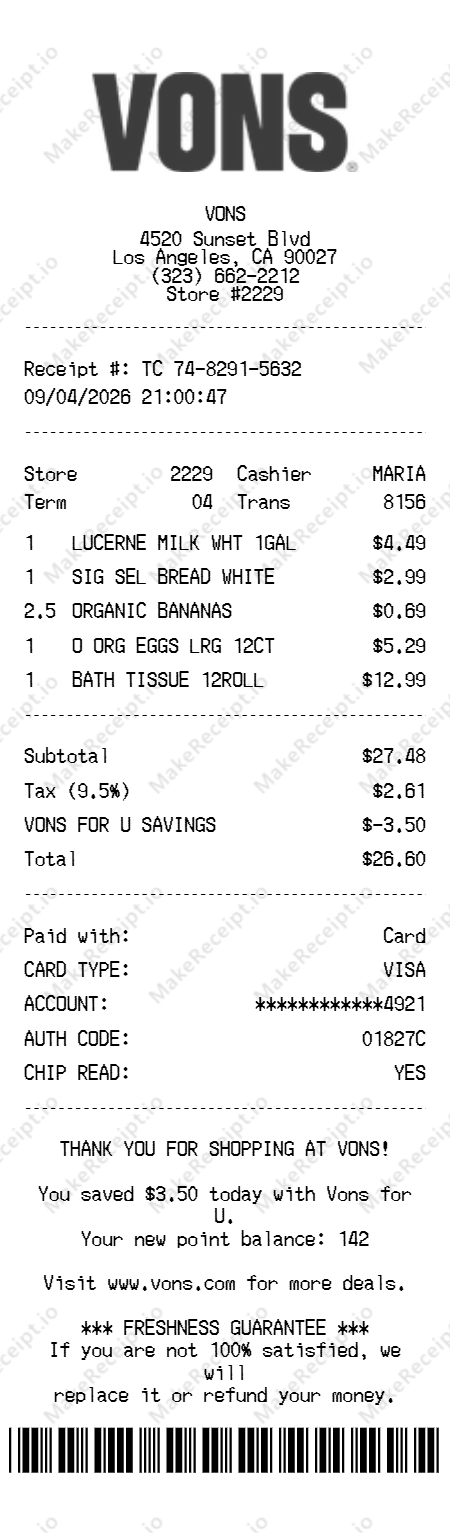
Vons Receipt
Create an authentic Vons grocery receipt with Vons for U™ savings and itemized household products.
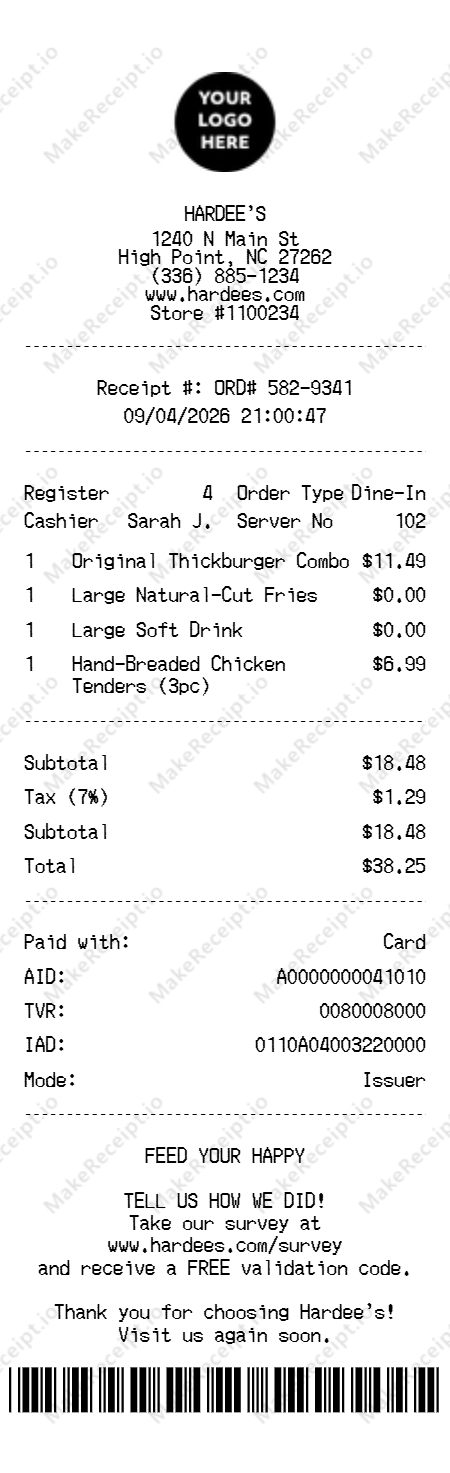
Hardee's Receipt
Create a professional Hardee's receipt for burgers and breakfast with accuracy and speed.
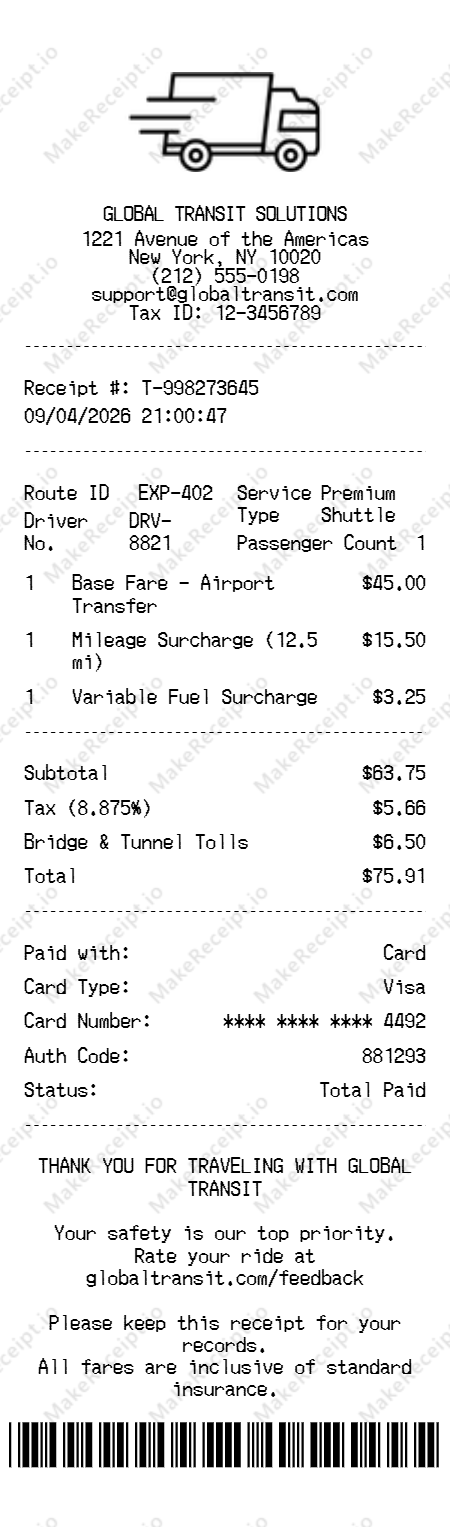
Transportation Receipt
Professional transit and shuttle Receipt Generator with custom route and fare breakdown options.
Legal Disclaimer & Acceptable Use
This free tool is designed exclusively for novelty, theatrical prop design, educational purposes, and personal record-keeping. It is strictly prohibited to use these generated documents for fraudulent activities, tax evasion, deceiving businesses, or claiming unwarranted returns. Users accept full and sole responsibility for how they utilize the generated receipts and agree to comply with all applicable local, state, and federal laws.